Location awareness
Explore the map and see potentially restricted locations around you.
EVERYDAY LIFE. MORE AWARENESS.
See potentially restricted locations. Get proximity alerts. Stay informed before you arrive.
Made for New Jersey. Available for iPhone.
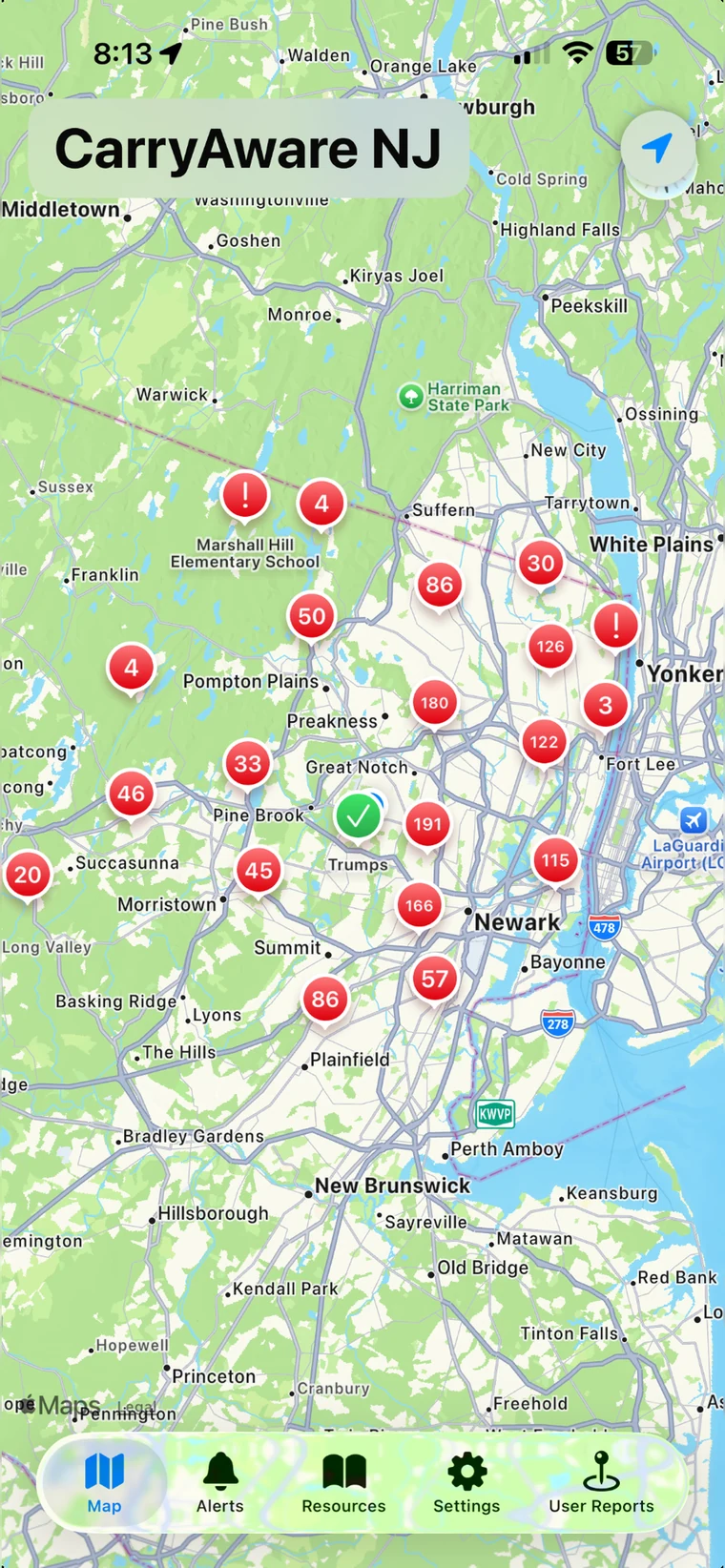
You know where you’re going.
Know more about what’s around you.
02 / THE PRODUCT EXPERIENCE
New Jersey’s carry laws and restricted-location rules can be complicated. CarryAwareNJ gives lawful New Jersey firearm owners another tool for situational awareness as they go about everyday life.
A moment of awareness before you head out.
03 / THE FILM
Everyday life.
One more layer of awareness.
You know where you’re going. But what’s around you?
Meet CarryAwareNJ. New Jersey’s carry laws can be complicated. Here’s another tool to help lawful firearm owners stay aware.
Explore potentially restricted locations on an interactive map. Receive proximity alerts as you approach.
Search community reports. Share your own observations. Help keep the community informed. Stay informed with legal and news updates.
One more tool for everyday awareness. CarryAwareNJ. Know Before You Go. Download on the App Store.
04 / USEFUL BY DESIGN
Tools that help you stay informed, with settings that fit the way you use the app.
Explore the map and see potentially restricted locations around you.
Choose an alert radius and customize alert categories in Settings.
Find shared observations, view details, and contribute your own.
Review updates, browse the archive, and open linked sources.
Location alerts depend on permissions, settings, and location accuracy.
05 / BUILT WITH THE COMMUNITY
See something useful? Submit a community report. Shared local observations give other CarryAwareNJ users more context as they go about their day.
Community reports are observations, not legal determinations. Always verify current information.
Be part of CarryAwareNJ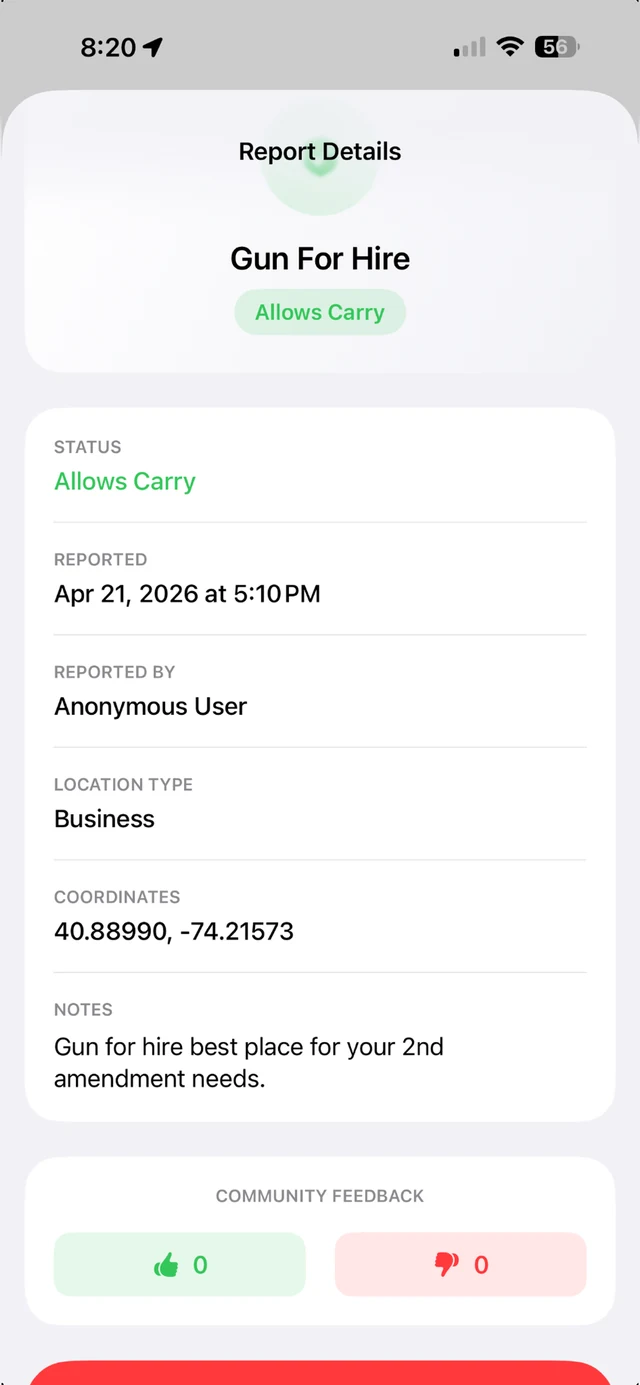
ANDROID / HELP SHAPE WHAT COMES NEXT
Alpha Beta 1 · Available to selected testers
CarryAwareNJ for Android Beta 1 (version code 2) is available to selected testers through Google Play Closed Testing – Alpha. Use the Google account approved for the tester list. It is not a general public release.
Beta 2 is in preparation and has not been uploaded or made available.
Beta 1 is our foundation: a real Android map experience for real people to explore, test and help improve.
Email Matt with your phone manufacturer and model and Android version.
Volunteer for the Android Beta →The official Google Play opt-in page requires an approved tester Google account. Read the installation and testing guide.
You don’t need to be technical. If something feels broken, confusing or annoying, we want to hear about it.
Keep an eye out: crashes, freezes, slow maps, missing markers, layout problems, unexpected blank screens, confusing wording—or anything that simply doesn’t feel right.
CarryAwareNJ is an informational situational-awareness app that helps you understand relevant locations and community-reported information around New Jersey.
Beta 1 focuses on validating the Android foundation, map experience, data presentation, performance and usability with real Android users. Android is being developed and validated in phases.
These features are planned for later phases, with no release dates announced. Beta 1 does not track your location or send proximity notifications; Alerts & Updates contains published information to read.
A few lines are enough. Beta 1 feedback goes to:
Send Android Beta feedback →No formal report needed. Share only what you’re comfortable sending, and leave personal information out of screenshots.
CarryAwareNJ is an informational awareness tool and does not provide legal advice. You remain responsible for verifying applicable law, posted restrictions and current requirements. Read the CarryAwareNJ Privacy Policy.

CarryAwareNJ

Available for iPhone.
Scan to download.